Never run out
of chemicals.
PocketBulk watches your bulk tanks, tells you the day to order, and checks every delivery against what the tank saw. It works with the gateways you already have.
Your first tank is free. Software only: no hardware to buy.
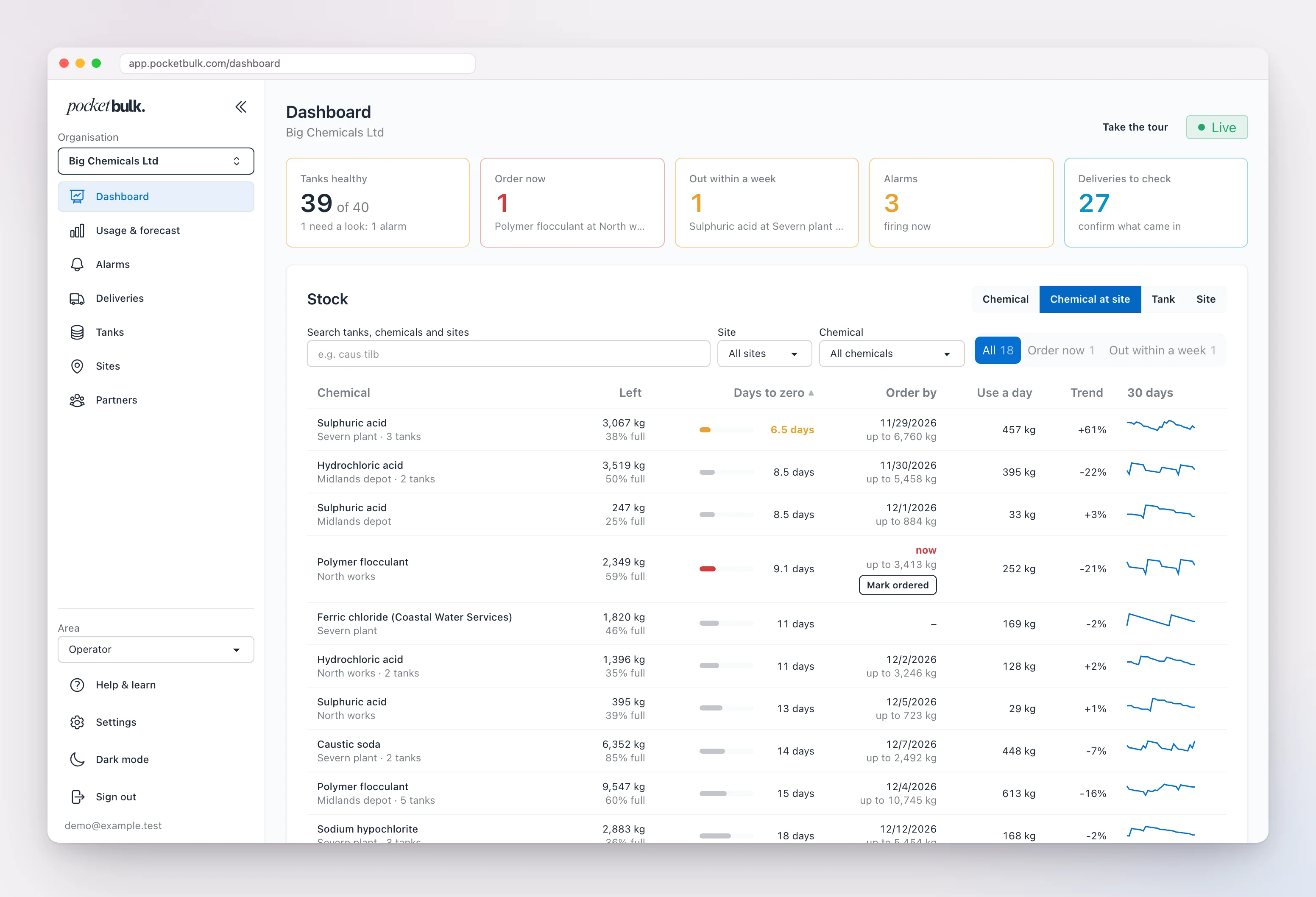
See it in under a minute.
Never run out
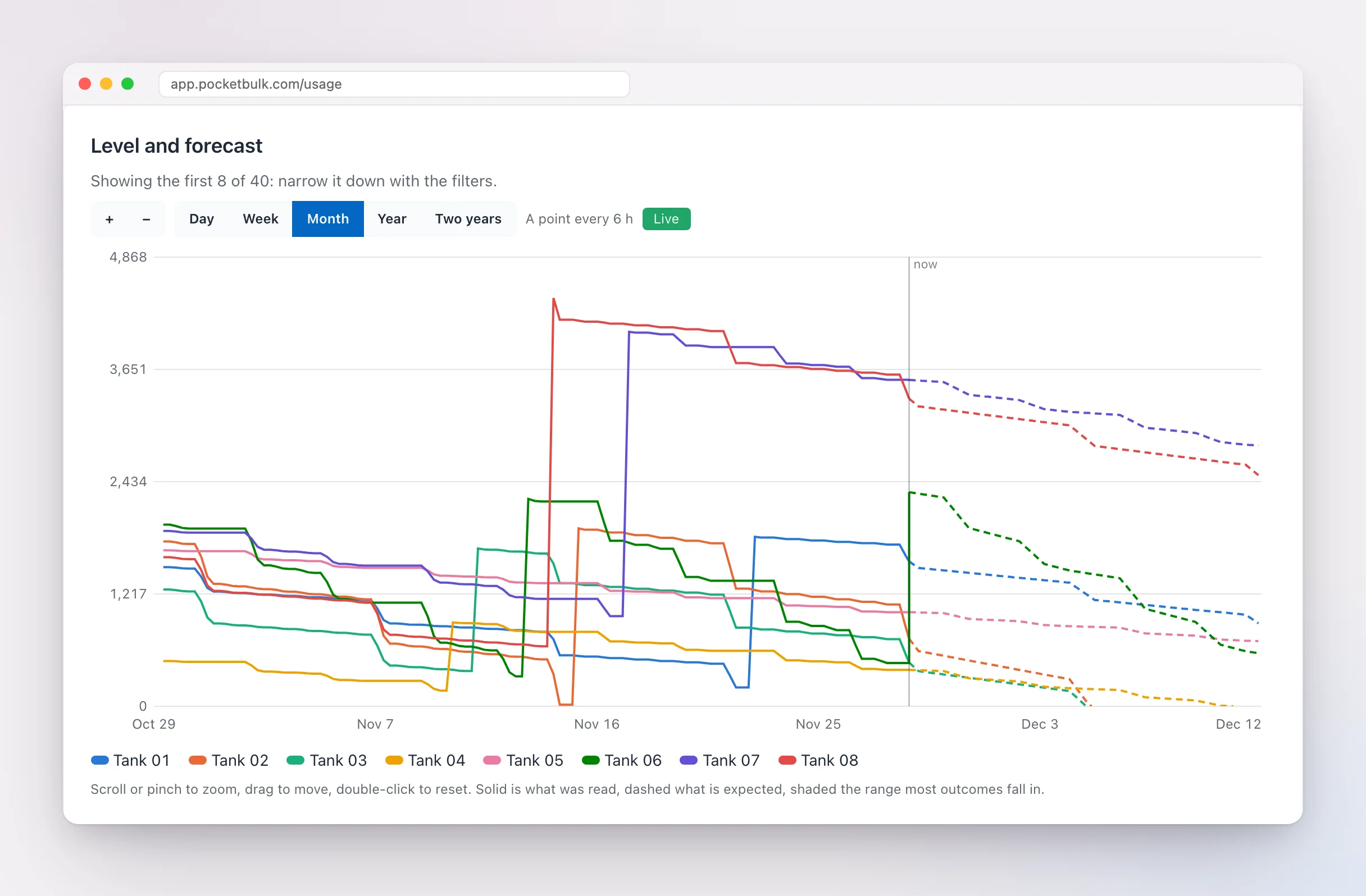
Know the day each tank runs out.
PocketBulk projects every tank forward from how you really use it, so you see days to zero and not just a level.
- The forecast follows each tank’s own weekdays and, with a year of history, its time of year.
- Shutdowns and cleaning can be marked, so quiet days do not skew the forecast.
- Alarms by email when a tank falls below a level you set, or is running low on days.
Order at the right time
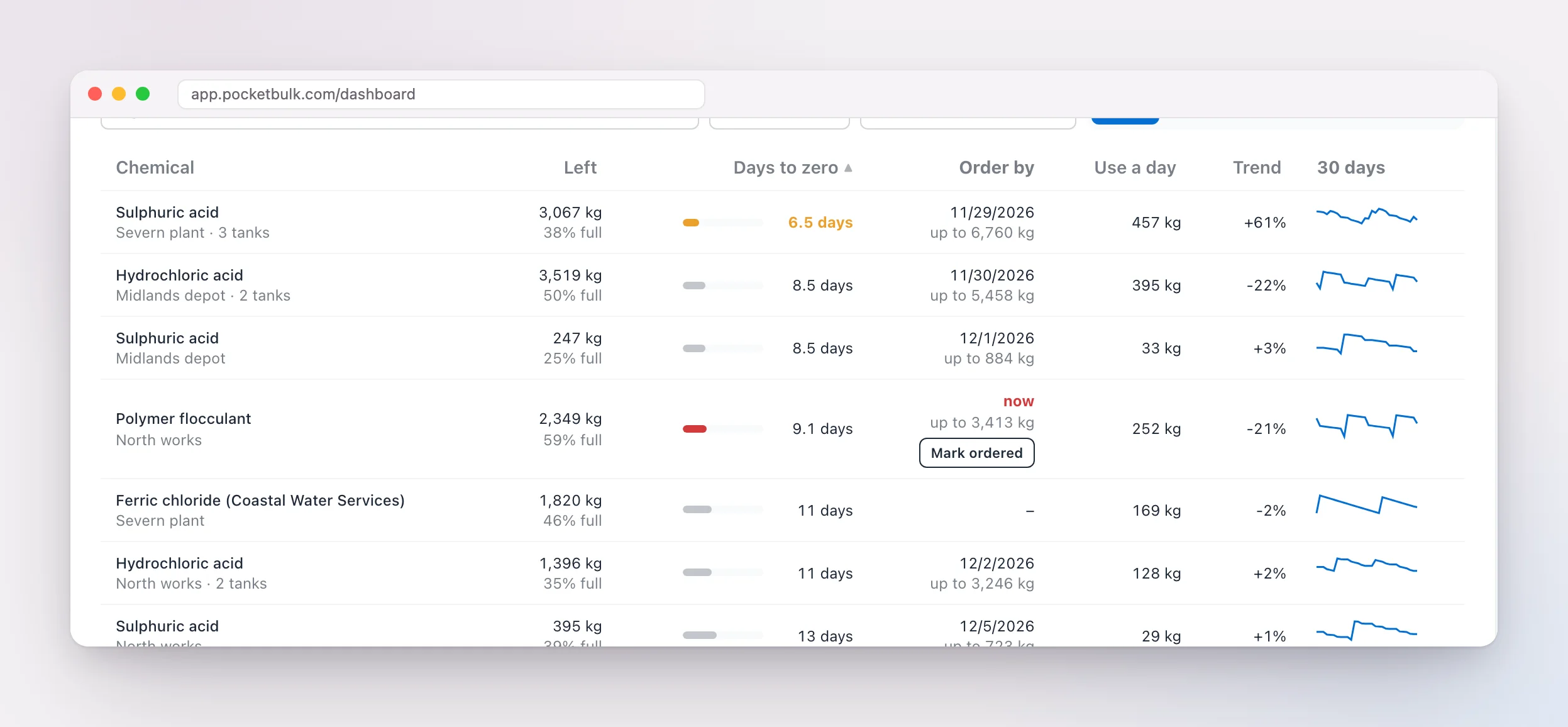
The order-by date, worked out for you.
Give each chemical its supplier’s lead time and PocketBulk tells you when to order and how much fits when the delivery arrives.
- The order-by date is the run-out day, less the lead time, less two days to spare.
- A time-to-order alarm fires on that day, and a Monday email lists what to order this week.
- Mark an order as placed and it stops nagging until the delivery is seen. PocketBulk does not place orders for you.
Fewer site visits
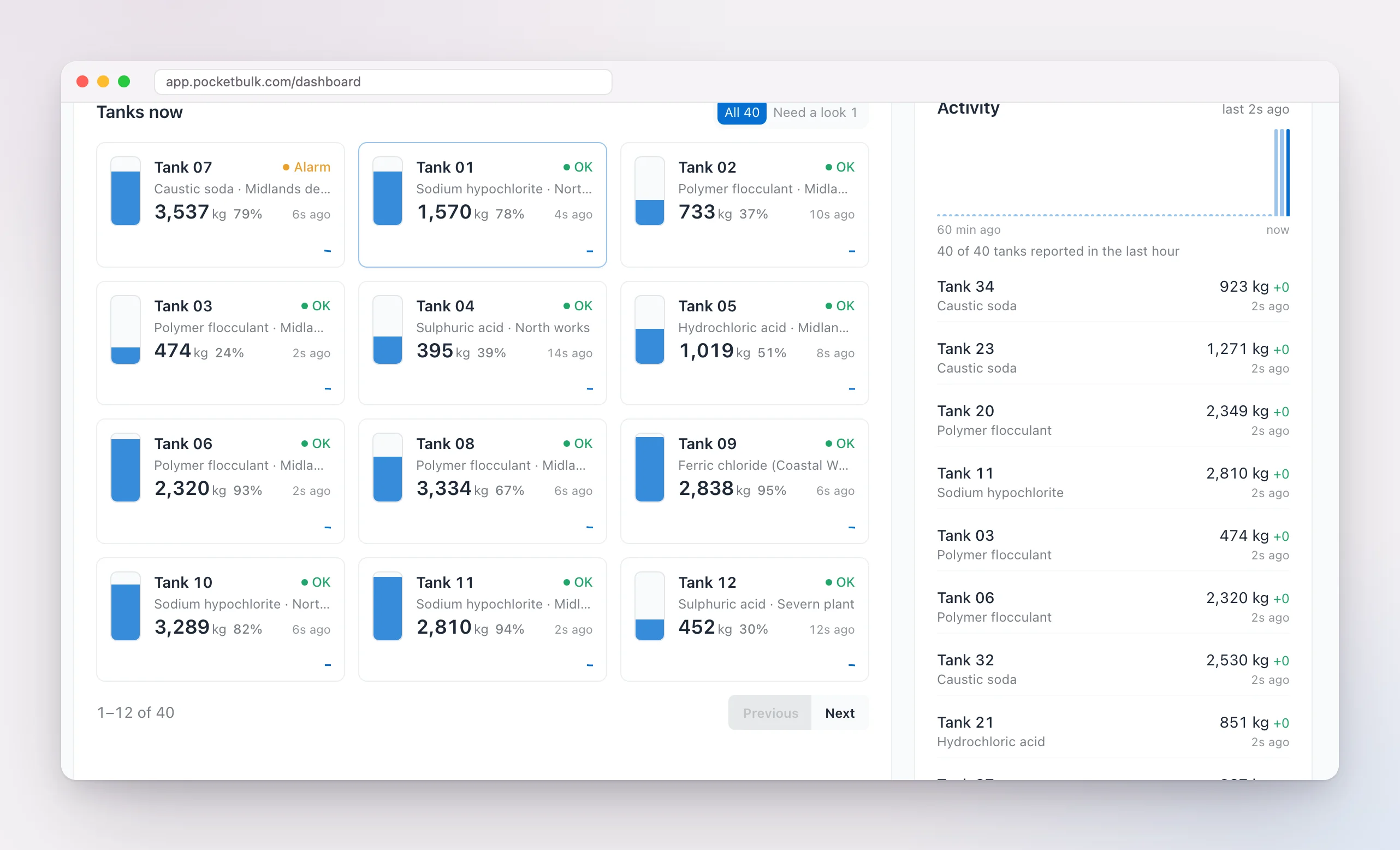
Every tank, live, from your desk or your phone.
Stop dipping tanks and driving out to look. Levels, trends and alarms update as readings arrive.
- A live dashboard shows every tank’s level, status and the last hour.
- Print a QR label for each tank. Scanning it opens that tank on a phone, once you are signed in.
- Read in kilograms, litres or US gallons, whichever each person prefers.
On site
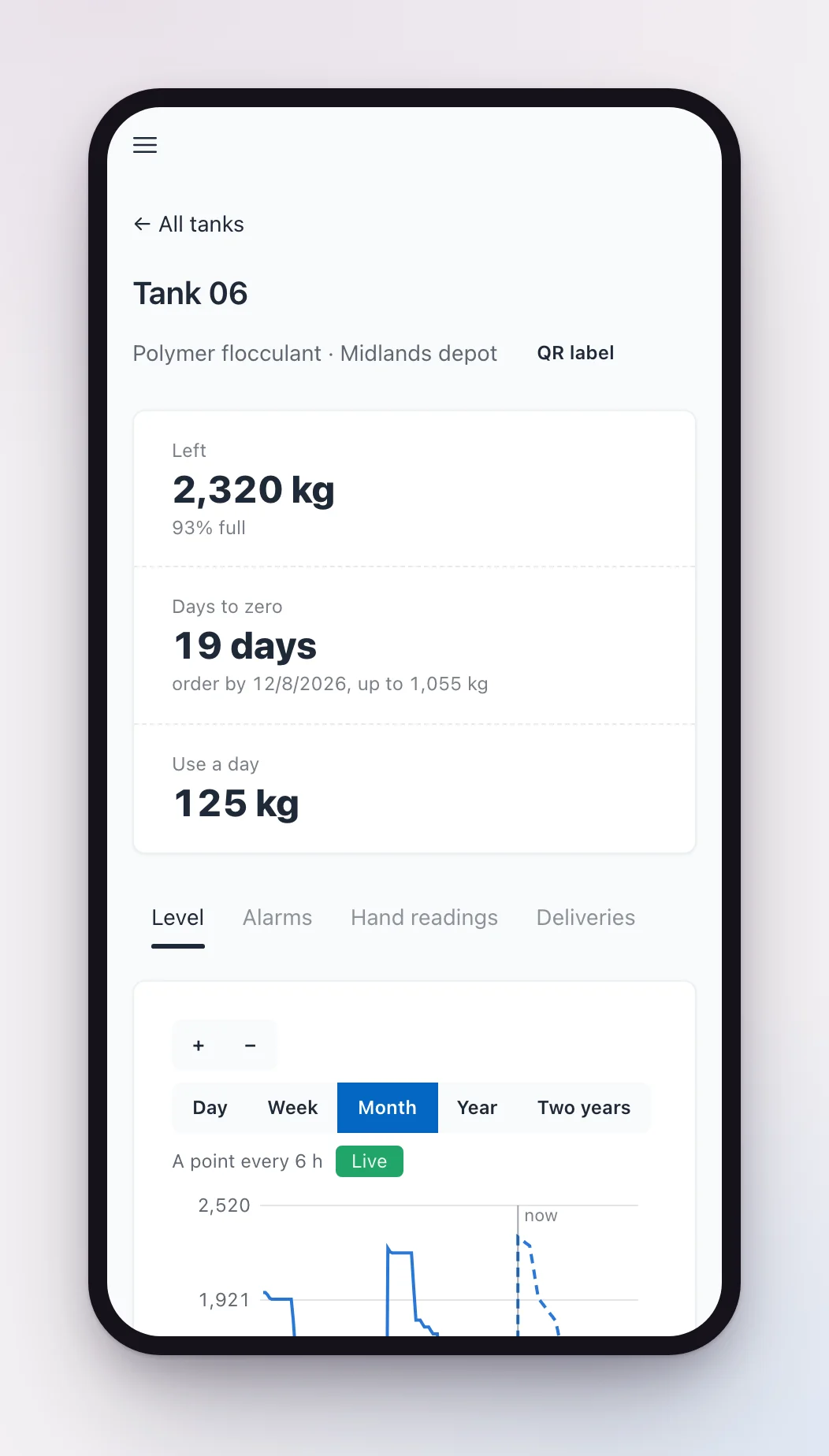
Scan the label. See the tank.
On the ground, a phone is enough: amount left, days to zero, the order-by date and the level graph, for the tank in front of you.
Deliveries checked
Did you get what you paid for?
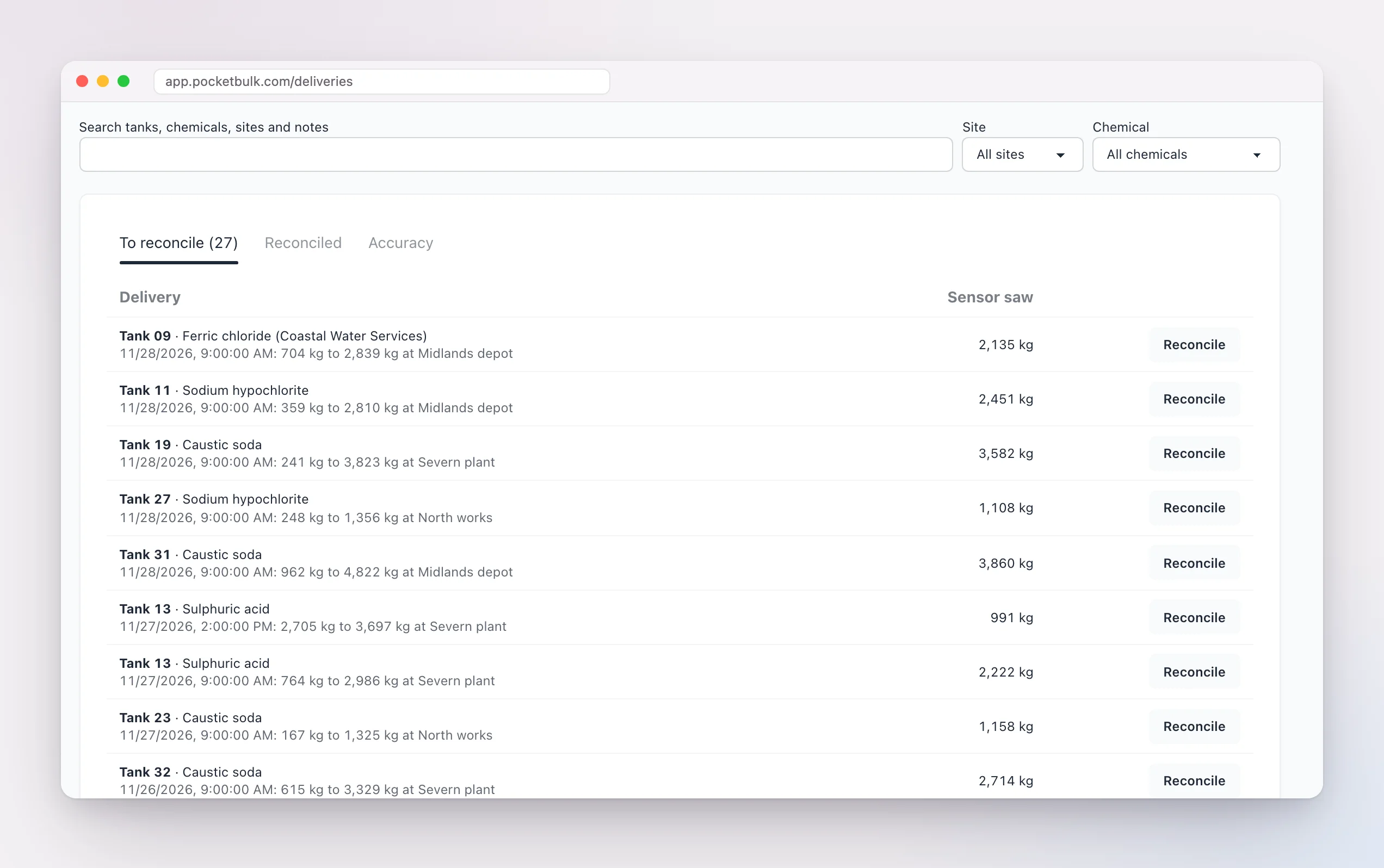
A jump in a tank’s level is recorded as a delivery by itself. Type the weight from the delivery note and see what the tank saw against what the supplier says.
- Each delivery lists what the sensor saw next to the weight on the note.
- Once three or more confirmed deliveries agree, PocketBulk suggests a correction so the tank reads more truly.
- A calibration record for each tank can be downloaded as a PDF.
Alarms
Hear about it before it is a problem.
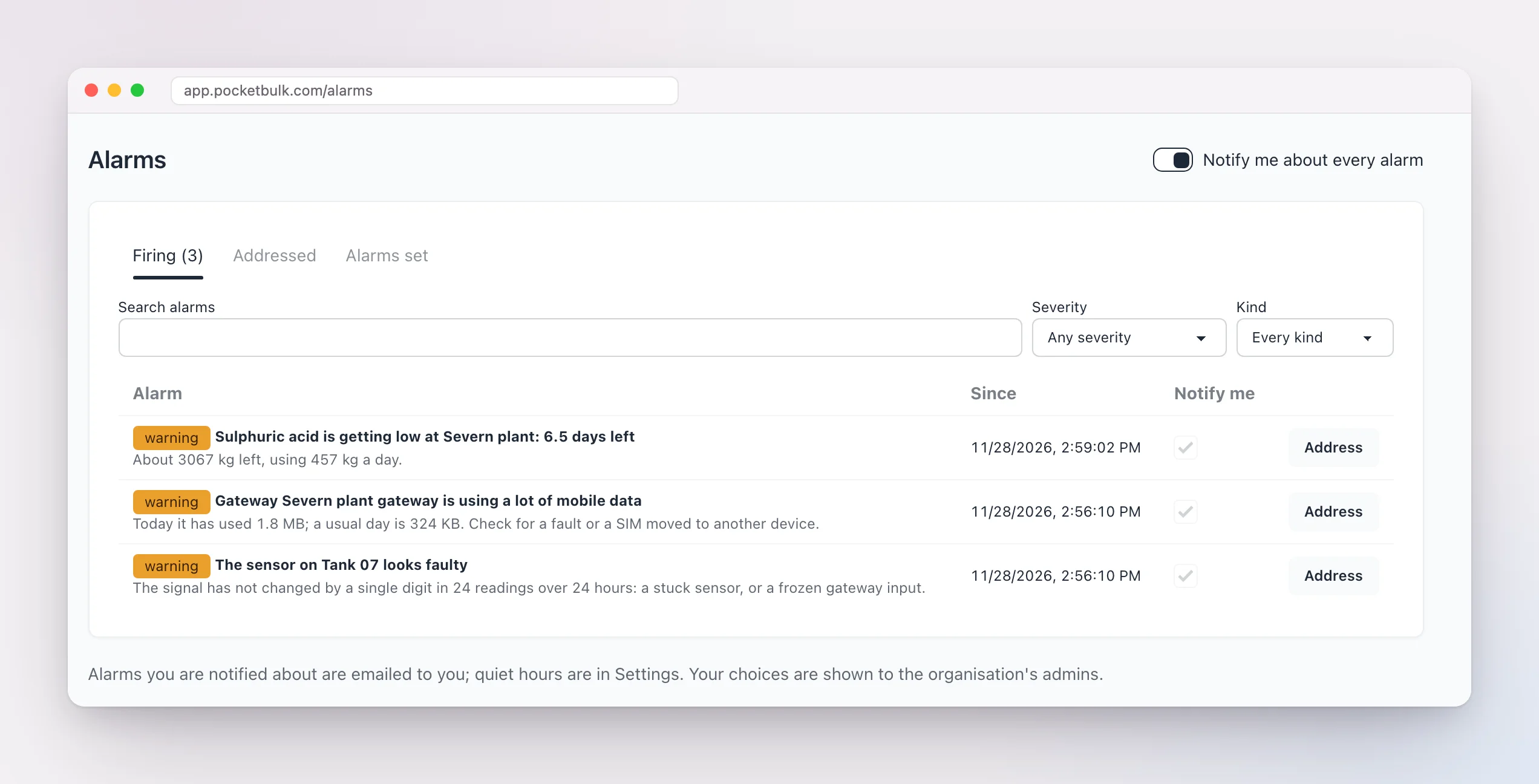
Alarms come by email when something needs a look, and clear by themselves when it is fine again.
- Built in: a silent tank, a gateway offline, a tank that never reported, a faulty or out-of-range sensor.
- Learned after 14 days of history: a possible leak, a sudden quick drop, unusually high or low use.
- Quiet hours for each person. Critical alarms still get through, and unanswered ones can go to owners and admins.
Suppliers and partners
Share stock, and fewer phone calls.
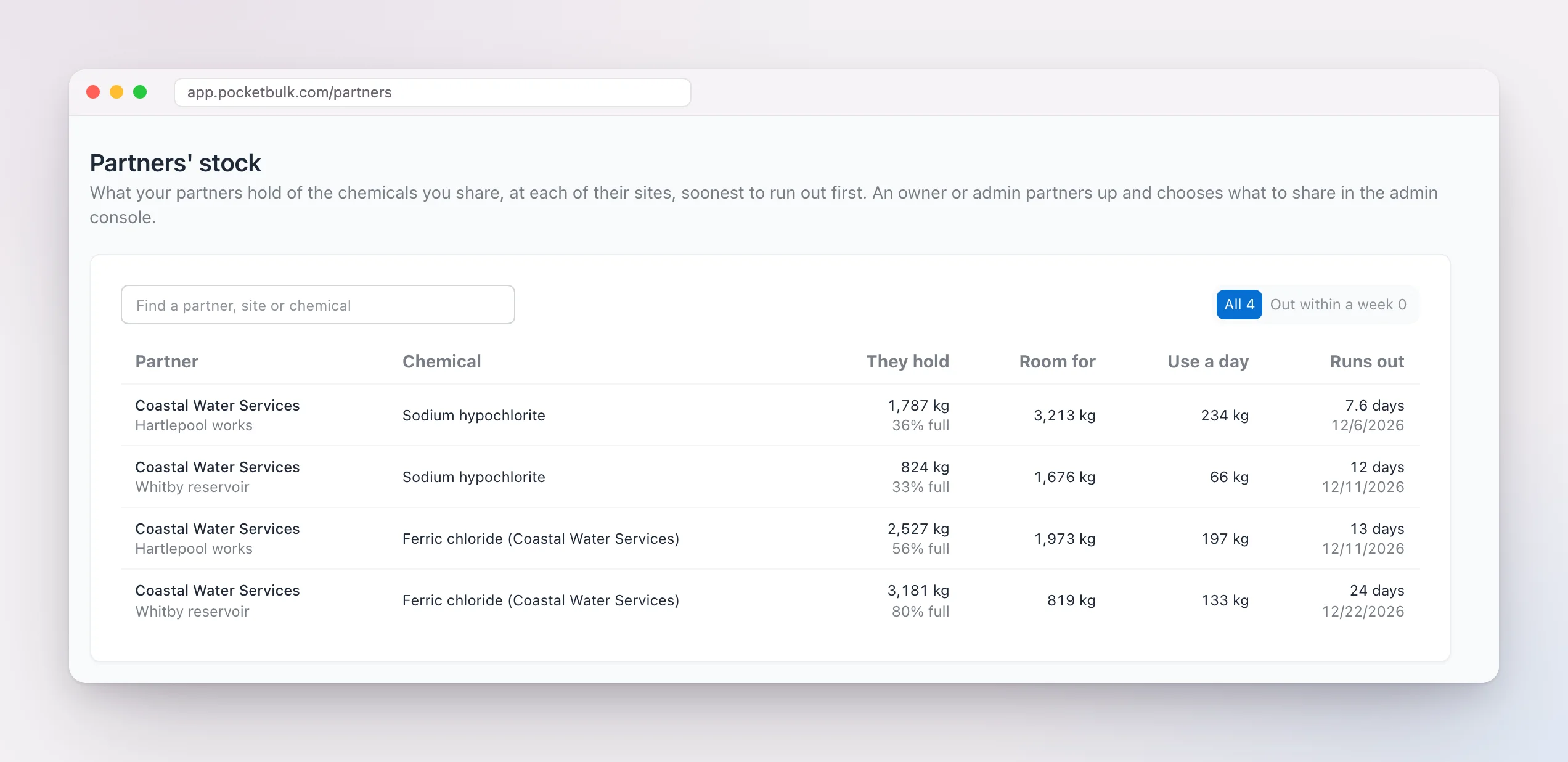
Pair with a supplier or a sister company on PocketBulk and share a chemical. Each of you sees the other’s stock of it.
- See what a partner holds, their room for a delivery, their use a day and when it runs out.
- Never addresses, tanks or other chemicals: only the chemicals you choose to share.
- Partners running low appear in the Monday email.
Running a plant? The 30-second version.
Easy to set up. Nothing to install.
Keep the sensors and gateways you have. PocketBulk is the software that turns their readings into decisions, and we run it.
Sign up and add your chemicals
Add your sites and each chemical with its supplier lead time. The first tank is free.
Point a gateway at us
Make a login for the gateway on the Gateways page and send JSON over MQTT with TLS, or HTTPS if that is all it speaks. For an unusual format, the AI writes the decoder from one real message, and it is checked before it is saved.
Set up each tank
A seven-step guide covers shape, size, contents, sensor and wiring, then shows what the tank reads before you save. Your installer, or your own technician, does it.
Run-out dates start with the first readings. The forecast learns your weekdays, and learned alarms such as leaks switch on, after 14 days of use.
Installing tanks for other people? See PocketBulk for integrators. Making tanks? See for tank makers.
Frequently Asked
Questions
Do I need your hardware?
No. PocketBulk is software only. Any gateway or PLC that can send JSON over MQTT or HTTPS works, and if the format is unusual the AI writes a decoder from one real message.
Is the connection to my gateway encrypted?
Yes. Gateways send over MQTT with TLS (port 8883) or HTTPS, never plain text. Each gateway has its own login, and the Gateways page gives you the server, the password and a ready-made HTTPS header to paste into the device.
Who sets the tanks up?
Your installer, or a technician in your own organisation. Setting up a tank (size, sensor, gateway) needs time-limited access, so it is always recorded and visible to your owners.
How does the forecast work?
It uses each tank’s own use for each weekday, nudged by the recent trend, and a yearly swing once there is about a year of history. Until a tank has 14 days of use it shows a flat forecast from its recent average.
Does PocketBulk order for me?
No. It tells you the date to order and how much fits, and you place the order with your supplier. Mark it as ordered and the reminders pause until a delivery is seen.
How does pricing work?
You buy a tank token for each tank you run, monthly or yearly, and it renews by itself. Each factory’s first tank is free. The price per tank falls as you add tanks, and a yearly plan costs ten months. See pricing.
I’m an integrator. Can I use it for customers?
Yes. Pair with customers, see their tank counts, and ask for time-limited access they approve. You never see their people.
Want to see it for yourself?
Open the demo account: live tanks, forecasts, VMI and alarms, ready to explore.
Try the demoYour tanks,
on autopilot.
Stop dipping tanks and chasing suppliers. Connect a gateway and let PocketBulk watch, forecast and warn. Your first tank is free.